

Quick answer: Viva Engage core is included in Microsoft 365 licences at no extra cost: communities, storyline and basic community insights. Viva Engage Premium requires a Viva Suite or Employee Communications and Communities licence and adds Leadership Corner, official campaigns, Answers, advanced network and community analytics, and audience targeting. Upgrade if you run leadership programmes or campaigns; otherwise the core product plus a dedicated analytics layer covers most internal communication needs.
Introduction
In today’s fast-paced and competitive business landscape, organizations recognize the significance of fostering a strong sense of employee engagement. Engaged employees are more productive, motivated, and contribute positively to the company’s overall success.
Microsoft has launched Viva Engage, formerly known as Yammer, to help companies with their internal communications and employee engagement.
Viva Engage is now available in 2 versions. The first is Viva Engage Standard, which provides a solid foundation for managing employee communications. The second solution, Viva Engage Premium, provides even more elements to improve employee engagement.
But what are the differences between the two solutions? And which one should you choose?
In this article, we will dive deep into the features and benefits of each offering, providing you with a comprehensive analysis to help you make an informed decision for your organization.
If you are still untangling the naming, our explainer on the difference between Viva Engage and Yammer covers what the rename actually changed, and Viva Engage vs Teams covers where Engage fits next to Teams. This article focuses on the licence decision.
1. Overview of Viva Engage
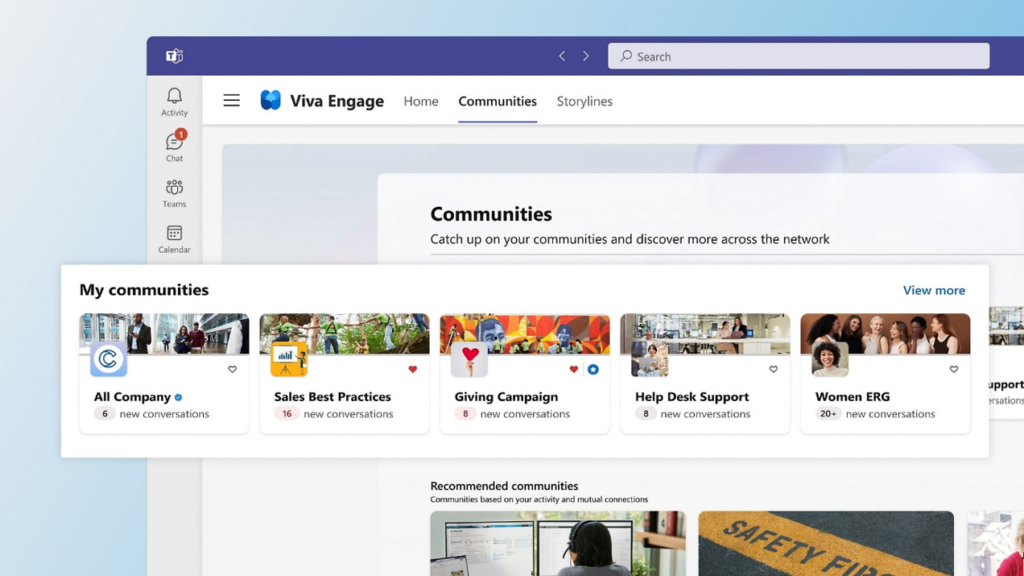
Viva Engage serves as a foundation for employee engagement, empowering organizations to connect, communicate, and collaborate effectively. It can be used as a tool to help organizations improve the performance of their campaigns and meet the Challenges of their Internal Communications. Let’s explore some of its key features:
Feature 1: Employee Communications
Effective communication lies at the heart of any successful organization. Viva Engage provides a centralized platform that enables seamless communication between employees and teams. Through features like news articles, announcements, and event notifications, employees stay informed and connected to the latest updates and company news. This boosts transparency, enhances collaboration, and fosters a sense of unity within the organization.
Feature 2: Knowledge Sharing and Content Creation
Knowledge sharing is crucial for employee growth and organizational innovation. Viva Engage Standard facilitates the creation and sharing of valuable content across the organization. Employees can contribute their expertise, insights, and best practices, fostering a culture of continuous learning. With powerful content creation tools, such as blogs, wikis, and forums, Viva Engage becomes a hub of knowledge, allowing employees to access information easily and collaborate effectively.
Feature 3: Town Hall and Leadership Connections
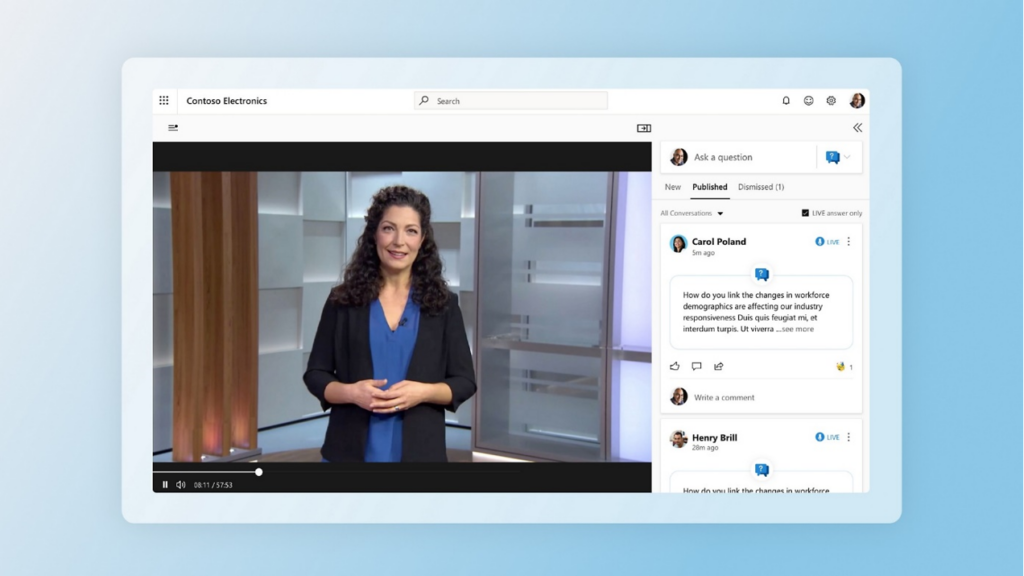
Engaging with leadership and providing employees a platform to express their thoughts is vital for building trust and fostering a positive work environment. Viva Engage Standard offers interactive town halls, where employees can directly connect with leadership, ask questions, and gain insights into the organization’s vision and strategy. This level of transparency encourages open dialogue, strengthens employee morale, and builds a sense of belonging.
2. Overview of Viva Engage Premium
While Viva Engage provides a strong foundation, Viva Engage Premium takes employee engagement to new heights with its advanced features. Let’s explore the additional capabilities offered by Viva Engage Premium:
Feature 1: Leadership corner
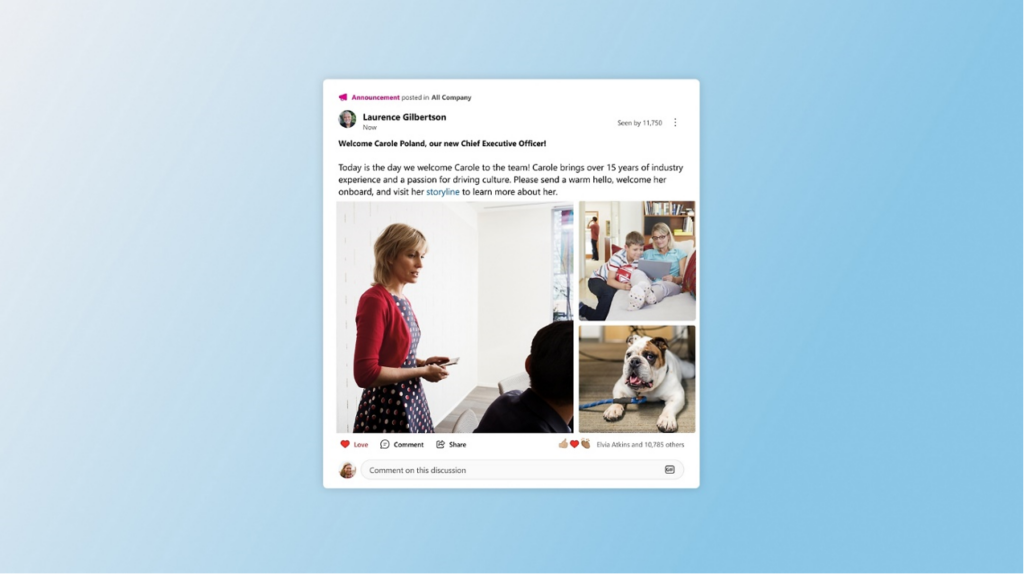
Observe and engage in activities led by key figures, contribute to surveys, participate in discussions through hashtag campaigns and Ask Me Anything sessions (AMAs), and establish connections with emerging leaders throughout the organization.
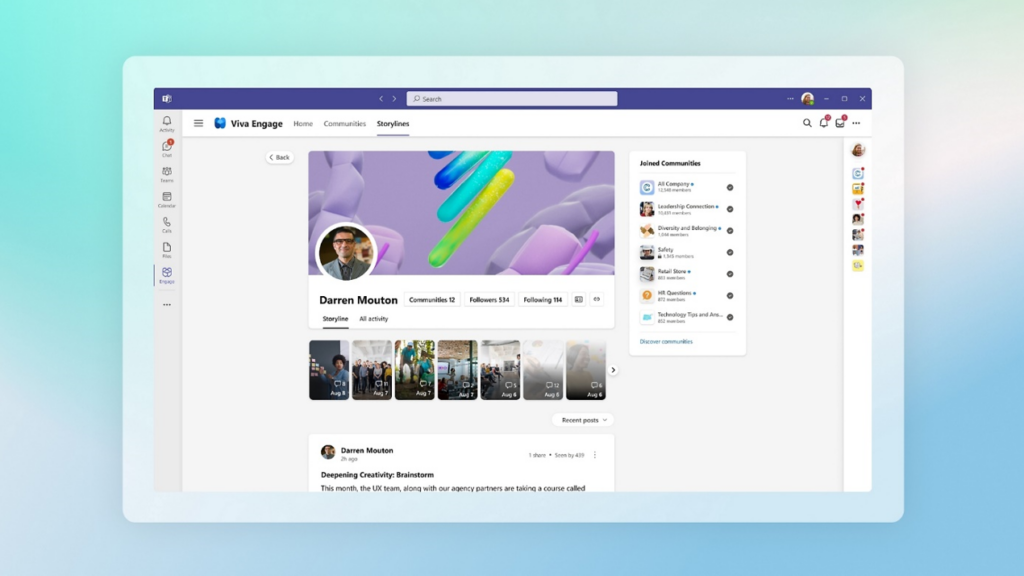
Feature 2: Advanced storylines
Create and share narrative posts and stories on behalf of another user to highlight and emphasize topics that are currently prominent for leaders and employees.
Feature 3: Answers in Viva
Discover solutions by utilizing a blend of semantic search and responses gathered from the crowd. Leverage expertise, crowdsource answers, and capture as well as preserve valuable knowledge.
Feature 4: Community campaigns
Establish and oversee organization-wide campaigns using dedicated campaign pages that consolidate posts from your entire network into a cohesive view. Utilize analytics to facilitate goal-setting and enhance your outreach efforts.
Feature 5: Custom Branding and Design
Viva Engage Premium allows organizations to showcase their brand identity by customizing the platform’s design and branding elements. This feature enables businesses to align the platform’s visual identity with their brand guidelines, creating a seamless and immersive employee experience. Custom branding instills a sense of pride and ownership among employees, fostering a stronger connection to the organization’s mission and values.
3. Comparison between Viva Engage Standard and Viva Engage Premium
Now that we have explored the features of both Viva Engage and Viva Engage Premium, let’s compare them side by side to help you determine the most suitable option for your organization.
| Features | Viva Engage | Viva Engage Premium |
| Employee Communications | ✅ | ✅ |
| Knowledge Sharing | ✅ | ✅ |
| Town Hall and Leadership | ✅ | ✅ |
| Advanced Analytics | ✅ | |
| Personalized Experiences | ✅ | |
| Custom Branding and Design | ✅ |
4. Pricing and Subscription Options
To leverage the features of Viva Engage Premium, you must subscribe to either the Microsoft Viva Employee Communications and Communities plan, priced at $2/user/month, or opt for the complete Viva suite, which costs $12/user/month. The complete Viva suite provides access to all Viva apps, including Viva Connections, Viva Engage, Viva Insights, Viva Amplify, Viva Glint, Viva Pulse, and Viva Learning. For a comprehensive understanding of Microsoft Viva plans and pricing details, please visit the official Microsoft Viva pricing page at https://www.microsoft.com/en-us/microsoft-viva/pricing
5. Viva Engage Premium’s shortcomings
To fill the gaps of Viva Engage’s premium features, Tryane Analytics’ latest solution, Communication Insights, offers more features to help you boost the efficiency of your internal communication campaigns. With its advanced analytics and data-driven approach, Communication Insights provides valuable insights into employee engagement, communication effectiveness, and campaign performance. By harnessing this powerful tool, you can better understand your employees’ needs, identify areas for improvement, and tailor your internal communication strategies for maximum impact.
For this, we have prepared a comparison of the 3 solutions, Viva Engage, Premium VS Tryane Analytics :
| Viva Engage | VivaEngage Premium | Tryane Analytics |
| , Advertisements , Storylines , Questions and answers , Virtual events , Conversations , Analytical , Headings |
, Sentiment in Audience , Top discussion themes , Leader announcement viewers , Active Community members , Active Leader storyline users , Audience Activity & Engagement , Most Active Communities across audience , People who reacted, replied & posted , People reached over time , People following over time , Reach Breakdown (viewers, followers, audience) , Top conversations , Reactions split , Top comments & communities , Community / Storyline Split |
, Custom time periods & Unlimited Data History on any time period (Monthly, quarterly, yearly, custom) without any data history limit , Get a deep dive into the scope of your corporate news efforts , Easy Audience Segmentation by country, department, business unit… , Having a view on your monthly top contents and allows you to look at your most popular pages, documents, announcements, news… , Analysing user behavior , Having a Meta-data content filter , Learn how users interact , Increase engagement by identifying inactive users , Efficient search Analysis , Active content identification with filters & Inactive content identification with filters , Dedicated access for SP site owner , SP site traffic source , Automated insights broadcast , Personnalized reports in 1 click , … |
Conclusion
Employee engagement is vital for organizations to thrive in today’s dynamic business environment. Microsoft’s Viva Engage Standard and Viva Engage Premium offer powerful solutions to foster employee engagement, communication, and collaboration. While Viva Engage Standard provides a solid foundation, Viva Engage Premium elevates the employee experience with advanced analytics, personalized experiences, and custom branding. By understanding the unique needs of your organization, you can choose the option that best aligns with your goals and priorities.
About Tryane Analytics
Tryane Analytics was established in 2008 with the mission of empowering internal communications with actionable insights allowing them to be more efficient. Communication Insights is the latest and most comprehensive solution of Tryane Analytics. It is an all-in-one analytics solution to connect all your internal communication channels (email newsletter, intranet/digital workplace, enterprise social network) and access a holistic view of all your KPIs in one place.
Our cross-channel analytics platform helps internal communication professionals to be more efficient and gain valuable insights including two of our most popular features: Best Time to Post, which optimizes communication timing for maximum reach, and Monthly Reports that helps you provide accurate data effortlessly, in just one click. Increase your chances of reaching your target audience effectively and access comprehensive data to make informed decisions instantly. Streamline your performance tracking, adapt your strategies, and make data-driven decisions with Communication Insights:
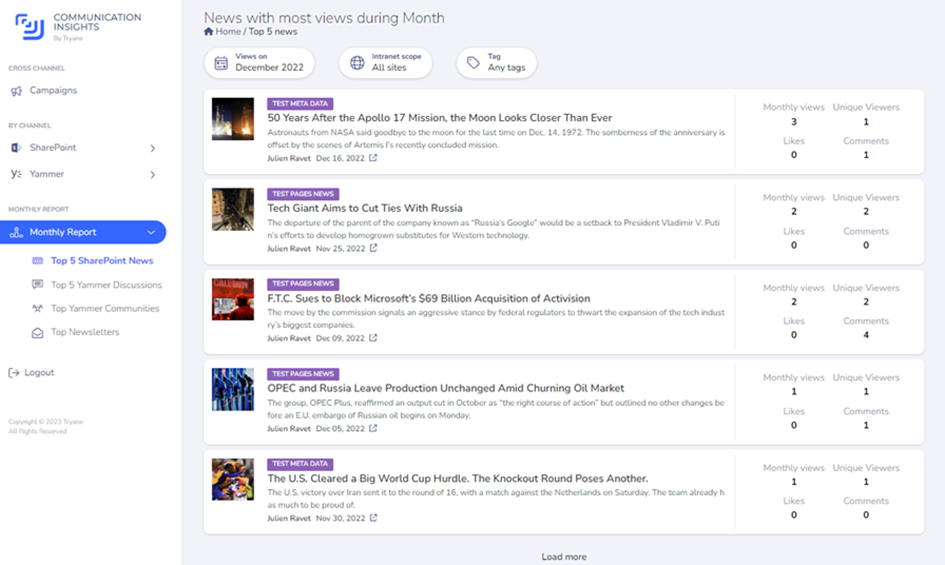
Communication Insights by Tryane Analytics
Contact us today to learn more about our all-in-one analytics solution for internal communications. Get an understanding of the best ways to use your data to optimize your company’s internal communications and better engage employees.2026 trends in internal communication.
Frequently asked questions
What licence do you need for Viva Engage?
For the core product, a Microsoft 365 licence is usually enough: bundled plans such as Microsoft 365 Enterprise give the user a Viva Engage Core licence, which admins can assign or remove per user in the Microsoft 365 admin center[1]. If your tenant enforces Viva Engage licensing, each user needs both a Microsoft 365 licence and the Viva Engage Core service plan[2]. Using Engage inside Teams also requires a Teams licence[3]. Admins do not need a Viva Engage licence to configure core or premium features[2].
Is Viva Engage Premium included in Microsoft 365?
No. As of September 2026, Microsoft Learn says premium Viva Engage experiences are available when the tenant owns Microsoft Viva Suite or Microsoft Viva Employee Communications and Communities[2], and the Viva Engage product page states that premium features are included only with those two subscriptions[4]. Microsoft 365 and Office 365 enterprise plans include the community and conversation features, so a Microsoft 365 E3 or E5 licence on its own does not unlock Premium[4].
How is Viva Engage Premium licensed?
Through one of two Viva plans added to Microsoft 365. As of September 2026, Microsoft’s US pricing page lists Viva Employee Communications and Communities from $2.00 per user per month and Viva Suite from $12.00 per user per month, both paid yearly with an annual commitment; Viva Suite adds workplace analytics, employee feedback and learning on top[5]. Both plans also carry the Viva Engage Knowledge service plan for the premium Answers in Viva experience[2]. Licence coverage matters for reporting: the network analytics dashboard only appears when at least 50% of the network’s users hold a Viva Suite, Employee Communications and Communities or Viva Engage premium licence[6].
Which Viva Engage features need Premium?
As of September 2026, Microsoft Learn lists Leadership Corner, Ask Me Anything (AMA) events, storyline announcements, analytics and campaigns as premium experiences, along with the premium Answers in Viva experience; communities, storyline posts and the core Answers experience stay in the core plan[2]. On analytics, the full set needs Premium, while users without it keep personal analytics and some community analytics[6]. Two points often missed: Copilot in Viva Engage now depends on a Microsoft Copilot licence rather than Premium, with the original premium Copilot v1 being deprecated the week of September 24, 2026[2], and premium features are not supported for external networks[7].
Is there a free trial of Viva Engage Premium?
Microsoft’s Viva trial page invites organisations to try Viva at no additional cost, but for Viva Engage its link simply opens the app in Teams; as of September 2026 it does not describe a self-service Premium trial[8]. To add Viva Suite or Employee Communications and Communities to an existing enterprise subscription, Microsoft directs customers to their Microsoft representative[5], who is the right person to ask about a time-limited evaluation. Because core Viva Engage is included in Microsoft 365 enterprise plans[4], you can pilot communities and storyline before deciding whether the premium layer is worth paying for.
Sources
• Microsoft Learn, Manage Viva Engage Core user licenses in Microsoft 365
• Microsoft Learn, Viva Engage setup requirements
• Microsoft Learn, Manage Viva Engage experiences in Microsoft Teams
• Microsoft, Viva Engage product page and FAQ
• Microsoft, Microsoft Viva plans and pricing
• Microsoft Learn, View and manage analytics in Viva Engage
• Microsoft Learn, Viva Engage service description
• Microsoft, Get started with a Microsoft Viva trial
Tryane runs a 15-minute working session with Heads of Internal Communication, walking through your current measurement setup and showing where the segmentation gaps sit on your own Microsoft 365 tenant. Book a slot with Jérémy.