
En bref
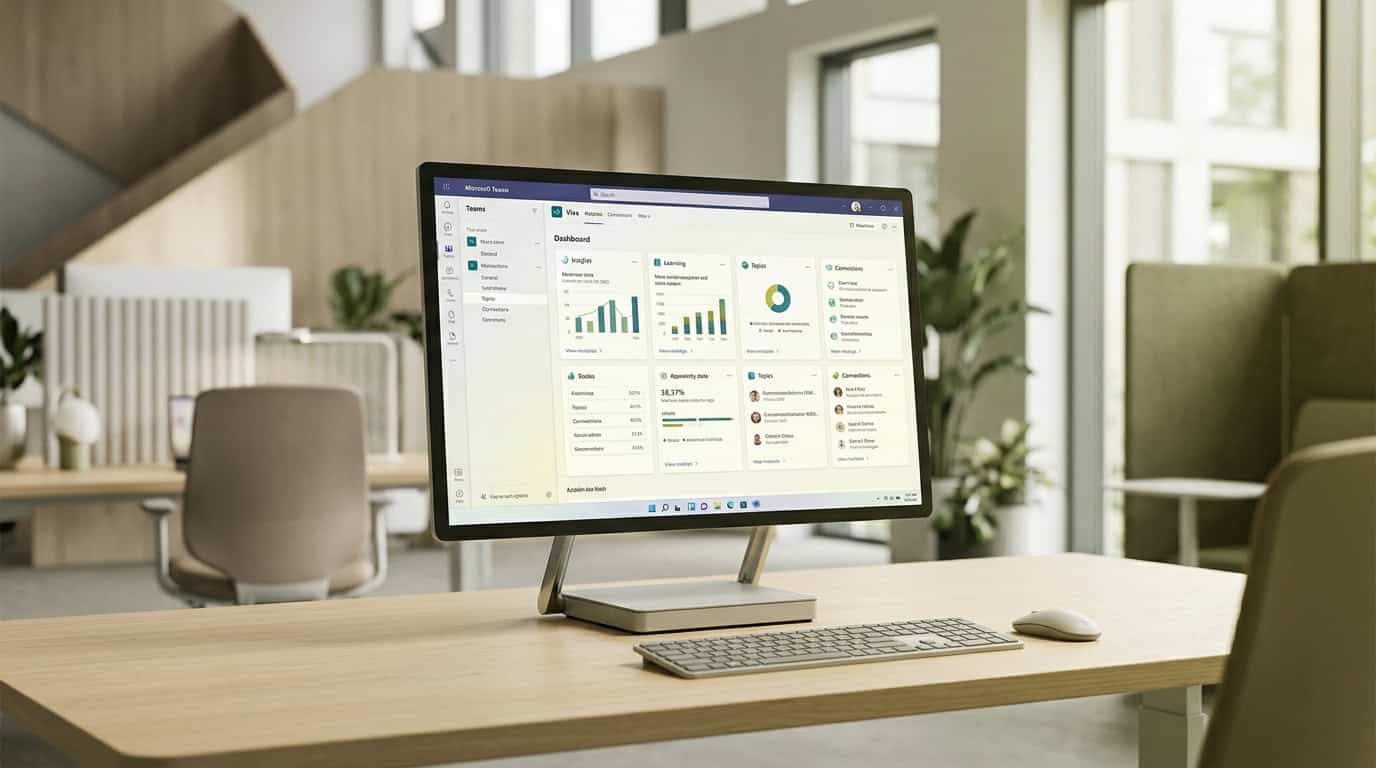
Microsoft Viva réinvente l’environnement de travail numérique en centralisant la formation et la communication dans Microsoft Teams. Découvrez comment fonctionnent ses principaux modules et pourquoi y superposer l’analyse multicanale de Tryane vous aide à mesurer et à prouver le ROI de votre communication interne.
À retenir
- Microsoft Viva a été lancé en 2021 pour unifier l’environnement de travail numérique au sein de Microsoft Teams.
- Les collaborateurs passent jusqu’à sept semaines par an à chercher de l’information, une perte de temps que Viva entend réduire.
- Viva Learning intègre la formation au travail quotidien, un investissement auquel les collaborateurs attachent de la valeur.
- Viva Topics a été retiré en 2025, et ses pages de connaissances organisées par l’IA ont basculé dans SharePoint standard.
- Tryane fournit la couche d’analyse multicanale nécessaire pour mesurer la portée réelle de Microsoft Viva.
Origine et contexte de Microsoft Viva
Lorsque les organisations sont brutalement passées au travail à distance et hybride pendant la pandémie de COVID-19, les responsables de la communication interne et de l’IT ont fait face à un défi opérationnel majeur : la fragmentation des équipes. Les outils numériques se sont multipliés dans les services, mais les collaborateurs ont subi une friction numérique croissante et des flux de travail décousus. Le 4 février 2021, Microsoft a annoncé Microsoft Viva, présentée comme la première plateforme d’expérience collaborateur (EXP) à intégrer directement dans le flux de travail des outils d’engagement, de formation, de bien-être et de découverte des connaissances[1][2].
Le déficit d’expérience collaborateur et la fatigue numérique
Avant le lancement de la plateforme, la communication interne passait souvent par des canaux isolés : intranets d’entreprise, e-mails de diffusion et applications de collaboration autonomes. Les propres études de Microsoft ont montré que les salariés passent l’équivalent de sept semaines par an à chercher ou à recréer de l’information[2]. Cette difficulté d’accès aux connaissances pèse sur la productivité quotidienne et amplifie la fatigue numérique.
Consolider un marché d’entreprise fragmenté
Au moment du lancement, les organisations dépensaient plus de 300 milliards de dollars par an en technologies d’expérience collaborateur, systèmes de formation et outils de bien-être[2]. Malgré des budgets conséquents, ces solutions ponctuelles restaient cloisonnées : identifiants séparés, interfaces disparates et lourde charge administrative. Microsoft Viva a été conçu pour regrouper ces points de contact fragmentés dans une couche unifiée, intégrée aux outils de collaboration du quotidien.
- Réunir communication d’entreprise, découverte des connaissances et bien-être dans une interface unique
- Éliminer les changements de contexte en mettant les ressources de l’organisation directement à disposition dans Microsoft Teams
- Réduire la création de contenus redondants et aider les collaborateurs à trouver plus vite des connaissances d’entreprise vérifiées
- Permettre aux équipes de communication interne de diffuser des contenus ciblés dans des structures d’entreprise complexes
Architecture et intégration dans Microsoft 365
Contrairement aux suites logicielles d’entreprise traditionnelles, Microsoft Viva n’a pas été conçu comme une application autonome isolée. Reposant sur Microsoft 365 et accessible via Microsoft Teams et les autres applications Microsoft 365[2], il fonctionne comme une couche organisationnelle qui réutilise des capacités existantes comme SharePoint, Teams et Microsoft Entra[3].
Le socle initial à quatre piliers
Au lancement, Microsoft annonçait que Viva comprendrait quatre modules : Viva Connections, Viva Insights, Viva Learning et Viva Topics[2], couvrant l’engagement, le bien-être, la formation et les connaissances[1]. En centralisant ces expériences dans Microsoft Teams, les organisations peuvent toucher aussi bien les collaborateurs de bureau que ceux du terrain, sans les obliger à passer par des portails web distincts.
| Module | Objectif principal | Interface principale | Niveau de licence |
|---|---|---|---|
| Viva Connections | Accès à l’intranet et communication | Microsoft Teams et SharePoint | Inclus dans Microsoft 365 / Office 365 |
| Viva Learning | Développement des compétences et agrégation des formations | Microsoft Teams | Socle gratuit (freemium) / module complémentaire Viva premium |
| Viva Insights | Tendances de productivité et analyses du bien-être | Microsoft Teams et Outlook | Insights personnels inclus / module complémentaire avancé de la suite |
| Viva Topics | Organisation des connaissances par l’IA (retiré en 2025) | SharePoint et Microsoft 365 | Module complémentaire autonome / suite Viva |
Si les composants de base comme Viva Connections sont inclus dans les abonnements entreprise Office 365 et Microsoft 365, les fonctionnalités avancées, les analyses approfondies et les modules spécialisés nécessitent des licences complémentaires dédiées ou la suite Microsoft Viva complète. Comprendre ce socle permet aux responsables de la communication interne et de l’IT de structurer stratégiquement leurs investissements dans l’environnement de travail numérique.
Viva Learning exploite une culture de développement
Le développement professionnel continu est essentiel à la fidélisation des collaborateurs et à la résilience de l’organisation. Viva Learning a été conçu pour faire de la formation en entreprise non plus un exercice ponctuel de conformité, mais une habitude durable, en l’intégrant directement dans le flux de travail quotidien de Microsoft Teams[2].
Agréger les sources de contenus internes et externes
Plutôt que de remplacer les systèmes de gestion de la formation (LMS) existants, Viva Learning joue le rôle de point d’agrégation centralisé. Il réunit les contenus de Microsoft Learn, de LinkedIn Learning, de fournisseurs tiers comme Coursera, Skillsoft et Pluralsight, ainsi que les ressources de formation propres à l’organisation hébergées dans SharePoint[2]. Grâce à des recommandations fondées sur l’IA, les collaborateurs découvrent des parcours de formation pertinents sans quitter leur principal outil de communication.
Apprentissage social et suivi managérial
Une étude mise en avant lors du lancement indiquait que 94 % des salariés resteraient plus longtemps dans une entreprise si celle-ci investissait activement dans leur formation et leur développement[2]. Viva Learning s’appuie sur la collaboration sociale pour rendre la formation visible dans les équipes : les collègues peuvent partager des modules dans les conversations, épingler des cours dans les onglets de projet et recommander des ressources à leurs pairs.
- Découverte centralisée des cours issus des plateformes LMS et des bibliothèques SharePoint internes
- Circuits d’affectation permettant aux managers d’attribuer des cours et de suivre les échéances de réalisation
- Fonctions de partage social dans les conversations Microsoft Teams pour favoriser l’apprentissage collaboratif entre pairs
- Onglets de formation personnels qui organisent les contenus attribués, enregistrés et recommandés
Viva Insights donne un aperçu de la productivité et de l’engagement des collaborateurs
L’essor rapide du travail hybride a brouillé les frontières entre vie personnelle et vie professionnelle, avec un risque important d’épuisement numérique. Viva Insights a été développé pour prévenir l’épuisement professionnel en offrant une visibilité exploitable, et respectueuse de la vie privée, sur les habitudes de travail et les modes de collaboration[2].
Bien-être individuel et protection de la concentration
Lors du déploiement initial, des enquêtes de Microsoft indiquaient que plus de 30 % des salariés déclaraient un sentiment d’épuisement accru lié à une connexion numérique permanente[2]. Pour chaque collaborateur, Viva Insights fournit des analyses personnelles visibles uniquement par l’utilisateur. Des fonctionnalités comme la réservation de plages de concentration, le trajet virtuel (virtual commute) ou les rappels de pleine conscience aident les collaborateurs à structurer leur agenda, à se déconnecter en fin de journée et à préserver du temps sans interruption pour les tâches de fond.
Insights managériaux et tendances du réseau organisationnel
À l’échelle de l’équipe et de l’organisation, Viva Insights fournit aux managers et aux dirigeants des données agrégées et désidentifiées pour repérer les frictions systémiques au travail. En analysant les heures de collaboration, le volume d’e-mails hors horaires et la surcharge de réunions, la direction peut ajuster les normes de l’organisation avant que l’épuisement ne provoque des départs.
- Planification de plages de concentration personnelles qui coupe automatiquement les notifications Teams pendant le travail de fond
- Routines de trajet virtuel conçues pour aider les collaborateurs à décrocher mentalement après une session de travail à distance
- Tableaux de bord agrégés pour les managers, qui signalent la fatigue liée aux réunions d’équipe et les risques de collaboration hors horaires
- Analyse du réseau organisationnel pour évaluer l’alignement entre services et les silos de communication
Viva Topics facilite le développement et le partage des connaissances
La recherche de connaissances a longtemps été l’un des principaux freins à la productivité en entreprise. Microsoft a initialement conçu Viva Topics comme une encyclopédie d’entreprise alimentée par l’IA, capable d’organiser automatiquement l’expertise interne à travers SharePoint, Microsoft Teams et les applications Microsoft 365[2].
Le modèle initial d’organisation des connaissances par l’IA
Viva Topics appliquait des algorithmes d’apprentissage automatique pour analyser les contenus de l’entreprise et en extraire automatiquement les termes récurrents, acronymes, projets et produits. Lorsqu’un utilisateur rencontrait un sujet inconnu dans SharePoint ou Teams, le survol du mot-clé affichait une carte de sujet dynamique. Un clic sur la carte ouvrait une page de sujet dédiée, alimentée par les documents associés, des synthèses de projets et les experts reconnus du domaine.
Le retrait de 2025 et la transition vers SharePoint et Copilot
Face à l’évolution rapide de l’IA générative, Microsoft a revu sa feuille de route en matière de gestion des connaissances. Viva Topics a été officiellement retiré le 22 février 2025[4]. Depuis ce retrait, la découverte de sujets générée par l’IA a cessé, et les pages de sujets publiées ont été converties en pages SharePoint standard au sein du tenant.
| Étape du cycle de vie | Fonctionnement de Viva Topics | Modèle après le retrait (à partir de février 2025) |
|---|---|---|
| Découverte des sujets | Analyse automatique par l’IA et cartes contextuelles au survol | Organisation manuelle et Microsoft Search standard |
| Gestion des pages | Topic Center dédié avec modifications suggérées par l’IA | Pages de sites SharePoint standard et architecture d’actualités |
| IA d’entreprise | Algorithmes d’indexation propriétaires de Project Cortex | Indexation Microsoft Copilot ancrée dans les données SharePoint |
| Sujets des communautés | Étiquettes de sujets générées par l’IA intégrées à Viva Engage | Hashtags et sujets publics standard ajoutés par les utilisateurs |
Les organisations concernées par cette transition gèrent désormais leurs bases de connaissances organisées directement dans des sites SharePoint, où les contenus structurés servent de contexte de référence pour les requêtes Microsoft Copilot et Microsoft Search[4].
Viva Connections réunit différents espaces de travail et crée une communauté
Pour les professionnels de la communication interne, Viva Connections est la porte d’entrée numérique de l’entreprise. Il intègre directement les sites intranet SharePoint modernes dans l’environnement Microsoft Teams et réunit actualités ciblées, applications essentielles et ressources de l’entreprise dans un portail unique aux couleurs de l’organisation[3].
Relier SharePoint et Microsoft Teams
Viva Connections résout le problème classique du faible engagement sur l’intranet en amenant les contenus de l’entreprise là où les collaborateurs passent déjà leur journée de travail. Au lieu d’obliger les utilisateurs à ouvrir des onglets de navigateur séparés, l’application Connections se trouve dans la barre d’applications de Microsoft Teams, ce qui garantit une visibilité constante aux annonces de l’organisation, aux réunions plénières de la direction et aux informations opérationnelles.
Principaux composants de l’interface : Spotlight, News reader et Dashboard
L’architecture de Viva Connections s’organise autour de composants de navigation clés, adaptés aux usages spécifiques des collaborateurs[3] :
- Connections Spotlight : une bannière dynamique qui affiche jusqu’à 11 actualités, liens ou mises à jour clés du site d’accueil en haut du fil
- Connections News reader : un fil d’actualités personnalisé qui agrège les articles mis en avant, les sites SharePoint suivis et des résumés générés par Copilot
- Connections Dashboard : un espace interactif de cartes adaptatives dynamiques pour les tâches rapides, comme pointer, consulter ses avantages ou réserver un poste de travail
- Connections Resources : une sélection pouvant contenir jusqu’à 48 liens de navigation qui orientent les utilisateurs vers les portails essentiels de l’entreprise et les sites des services
Une expérience mobile unifiée
Contrairement à ce que l’on supposait au départ, Viva Connections ne nécessite pas le téléchargement d’une application mobile distincte : il fonctionne nativement dans l’application mobile Microsoft Teams sur iOS et Android[3]. Les collaborateurs de terrain et les salariés en déplacement accèdent depuis leur smartphone à des onglets dédiés pour leur Dashboard, leur fil d’actualités et leurs Resources, ce qui permet aux équipes de terrain de rester connectées aux communications du siège.
Comment Tryane peut optimiser Microsoft Viva
Déployer Microsoft Viva met en place une infrastructure de communication moderne dans Microsoft 365, mais piloter cette infrastructure exige une mesure approfondie et multicanale. Si les tableaux de bord natifs fournissent des chiffres opérationnels de base, ils n’offrent ni la granularité d’audience ni la profondeur historique dont les responsables de la communication interne ont besoin pour évaluer la portée réelle des messages et prouver leur impact stratégique sur l’activité.
Dépasser les limites du reporting natif avec Tryane
Les statistiques natives de Microsoft présentent généralement des pages vues brutes et des totaux d’activité de manière isolée. Elles ne montrent pas si les communications essentielles de la direction ont atteint des populations cibles précises, comme les services opérationnels, certains sites géographiques ou le personnel de terrain sans poste de travail. Des plateformes d’analyse spécialisées comme Tryane apportent la couche d’intelligence qui manque : Analytics for SharePoint et Communication Insights s’intègrent directement à votre tenant Microsoft 365 pour réunir SharePoint, Viva Connections, Viva Engage et les newsletters internes dans un tableau de bord centralisé.
- Segmentation de l’audience : analysez la performance de la communication par entité, pays, site et intitulé de poste pour identifier les segments de collaborateurs non touchés
- Mesure multicanale : suivez les campagnes de communication à points de contact multiples dans les actualités SharePoint, les fils Viva Connections, les publications Viva Engage et les newsletters e-mail
- Suivi de la performance dans la durée : conservez un historique d’engagement sur plusieurs années, qui résiste aux mises à jour du tenant et aux migrations de plateforme
- Reporting du ROI pour la direction : générez des tableaux de bord de KPI clairs et fondés sur les données, qui démontrent directement la valeur de la communication interne au comité de direction
En associant Microsoft Viva à une analyse multicanale dédiée, les équipes de communication interne passent des suppositions à des informations exploitables : elles optimisent leur calendrier éditorial, affinent leur mix de canaux et maximisent l’engagement des collaborateurs dans l’ensemble de l’environnement de travail numérique.
Si vous souhaitez comprendre comment vos équipes consomment la communication interne et identifier les lacunes d’engagement dans Microsoft 365, planifiez une session de travail de 15 minutes avec Jérémy pour passer en revue votre dispositif de mesure actuel.
Questions fréquentes
Quels sont les quatre modules d’origine de Microsoft Viva ?
À son lancement en 2021, Microsoft Viva reposait sur quatre piliers fondateurs : Viva Learning, Viva Insights, Viva Topics et Viva Connections. La plateforme s’est depuis enrichie d’autres outils comme Engage et Goals, tandis que Topics a été retiré en 2025.
Viva Connections dispose-t-il de sa propre application mobile ?
Non, Viva Connections ne dispose pas d’une application autonome distincte. Il offre une expérience mobile native et adaptée, accessible directement depuis l’application mobile Microsoft Teams existante, ce qui permet aux collaborateurs de terrain de rester facilement connectés.
Qu’advient-il de Microsoft Viva Topics ?
Microsoft a retiré Viva Topics en février 2025. Les cartes de sujets générées par l’IA sont progressivement supprimées, et les pages de sujets publiées par les utilisateurs ont été converties en pages SharePoint standard, qui seront désormais interrogées et gérées avec Microsoft Copilot.
Les modules Microsoft Viva sont-ils inclus dans Office 365 ?
Les versions de base de modules comme Viva Connections et Viva Engage sont incluses dans la plupart des abonnements entreprise Microsoft 365 et Office 365. En revanche, les fonctionnalités avancées de Viva Insights et de Viva Learning nécessitent un abonnement supplémentaire à la suite Viva premium.
Tryane peut-il remplacer les statistiques natives de Microsoft Viva ?
Non, Tryane vient se superposer aux statistiques natives de Microsoft 365. SharePoint et Viva enregistrent l’engagement de base ; Tryane exploite ces données et ajoute sa propre couche de suivi pour fournir les indicateurs multicanaux et historiques nécessaires pour prouver le ROI de la communication interne.
Sources
À lire également
• Les 5 KPIs de communication interne qui prouvent la valeur
• Comment mesurer l'engagement de vos collaborateurs
• Comment calculer le ROI de la communication interne
• Tableaux de bord pour la communication interne
Tryane propose une session de travail de 15 minutes avec les responsables de la communication interne pour passer en revue votre dispositif de mesure actuel et identifier les écarts de segmentation sur votre propre tenant Microsoft 365. Réservez un créneau avec Jérémy.