
In short
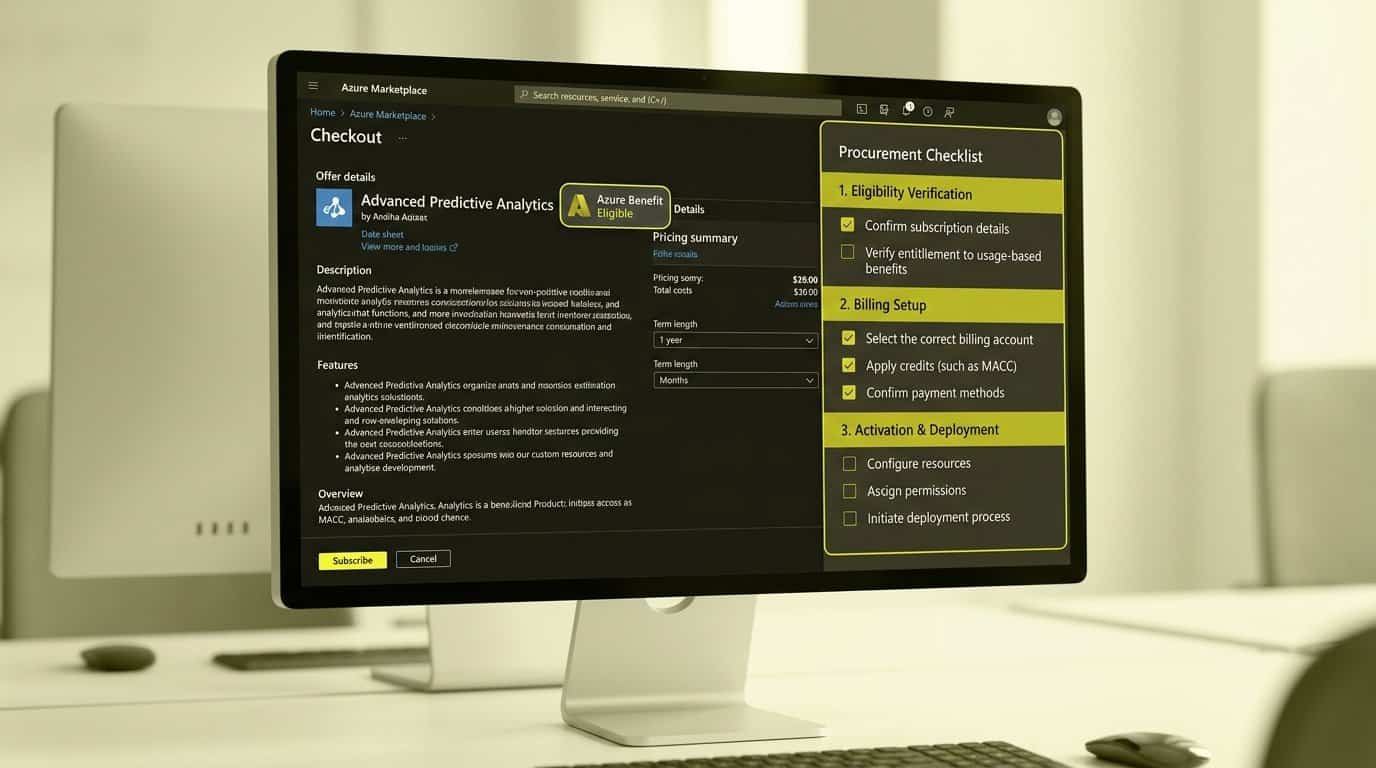
A marketplace purchase only counts toward your MACC when eligibility, billing authority and activation are verified separately. We break down the badge, the two owners who accept and purchase, and the activation steps you must own before the order is placed.
Key takeaways
- A purchase counts toward MACC only when the offer is Azure benefit eligible at purchase time, checkout runs through the Azure portal, and the MACC term is active; 100% of the pretax amount then contributes.
- Azure prepayment and credit-card checkout directly on Microsoft Marketplace both disqualify the purchase, even when the badge is displayed.
- Acceptance and purchase are separate roles: the billing account owner (MCA) or Enterprise Administrator (EA) accepts, while a subscription owner or contributor completes the purchase.
- SaaS configuration on the provider website is mandatory; an unconfigured subscription is automatically deleted after 30 days, and MACC-eligible offers must be activated before month end to count on that invoice.
- No verified Tryane marketplace listing or MACC eligibility is established, so confirm availability and eligibility with Tryane before choosing this route.
When can an analytics purchase count toward MACC?
If your organization has signed a Microsoft Azure Consumption Commitment (MACC), every eligible Marketplace purchase reduces the spend you still have to cover elsewhere. That matters for you as Head of Internal Communication, because an analytics platform bought the right way stops being a new line item and becomes a draw on a commitment your CFO has already made. Microsoft sets three conditions before any Marketplace spend touches that commitment, and all three must hold at the moment of purchase.
- The offer carries the Azure benefit eligible badge at the time you buy it. This badge is the evidence that the solution contributes to your MACC; check it on the offer page before you shortlist anything.
- Checkout is completed through Marketplace within the Azure portal, on an Azure subscription tied to your organization's agreement. You must click the Get it in Azure portal button during checkout; a purchase made elsewhere does not count.
- The purchase falls inside the active MACC term. A commitment that has expired or not yet started contributes nothing, however eligible the offer is.
Get those three right and the payoff is direct: when you purchase Azure benefit eligible offers from Microsoft partners through Marketplace, 100% of the pretax purchase amount contributes toward your commitment. Azure services billed through a Marketplace deployment also contribute inherently. We have walked through the wider route in our guide to buying internal communications analytics through Azure Marketplace, which covers how existing Microsoft billing relationships can shorten vendor onboarding. The rules above come from Microsoft's own customer documentation, so treat them as the checklist your procurement team works from.
What disqualifies an apparently eligible purchase?
The badge on the offer page is necessary but not sufficient. Microsoft names several exclusions that catch teams out precisely because the offer looked eligible and the purchase felt routine. Before you commit budget or ask a colleague for subscription access, confirm none of these applies to your transaction.
- Azure prepayment does not qualify. Microsoft Marketplace purchases paid using Azure prepayment, previously called monetary commitments, are not eligible for the MACC benefit, even when the offer itself is eligible.
- Credit card checkout on the Marketplace website does not count. Microsoft Marketplace can display the Azure benefit eligible badge while a purchase made directly on the site by credit card contributes nothing. Only the Get it in Azure portal route protects your commitment.
- Hybrid or on-premises deployment breaks eligibility. The MACC benefit applies only to licences used exclusively in Azure. If the licence is deployed in a hybrid environment or on-premises, it does not contribute, which is a real consideration for analytics tooling that connects to on-prem systems.
- Eligibility is not retroactive. If an offer gains the badge after you bought it, your earlier purchase never counts; only charges going forward can contribute. If you are unsure whether an agreement qualifies, Microsoft directs eligibility questions to your Microsoft account executive.
Each of these exclusions is avoidable with one verification step before purchase: confirm the payment route, the deployment model and the badge date in writing, before anyone clicks checkout. A disqualification discovered after invoicing cannot be recovered, so the verification belongs at the start of the process, not the end.
Who accepts the offer and authorizes purchase?
Marketplace purchases run through two separate authorities, and for private offers Microsoft is explicit that they are usually performed by different people.[1] Acceptance sits with whoever holds authority over your billing account. Purchase sits with whoever holds authority over the Azure subscription you buy on. Identifying both people before you negotiate a deal prevents the situation where a signed offer waits weeks for the right signature, or a well-meaning colleague in IT completes a checkout nobody approved.
| Commercial agreement | Role required to accept a private offer | Role required to purchase or subscribe |
|---|---|---|
| Microsoft Customer Agreement (MCA) | Billing account owner or contributor (primary tenant) | Subscription owner or contributor |
| Enterprise Agreement (EA) | Enterprise administrator | Subscription owner or contributor |
The separation of duties is deliberate: Microsoft requires different roles and permissions for purchasing a private offer than for accepting one.[2] For you, the practical move is simple: name the billing-account owner who will accept and the subscription owner who will purchase before the deal is negotiated, and record both names, so the acceptance lands with someone genuinely authorized to bind the company rather than whoever happened to open the email.
How do private offers change the buying process?
If you negotiate custom terms with a vendor, the purchase stops being a single checkout and becomes a sequence of gates, each with its own owner and its own failure point. Microsoft structures private offers exactly this way, and treating the steps as one transaction is where timelines slip. Here is the sequence to plan for.
- Negotiation. Through a private offer you can agree custom terms and customized pricing for up to five years, bundle up to 10 unique products from the same vendor, and in some cases pay on an agreed billing schedule with the publisher. This is where your procurement and legal colleagues earn their place in the process.
- Acceptance. The authorized person accepts the offer in the Private Offer Management dashboard in the Azure portal. Acceptance establishes a binding contract between your organization and the Microsoft partner, so it needs the billing-account authority described above.
- Purchase. After acceptance, the Purchase button can take 15 to 60 minutes to enable, and for offers with multiple products you must complete the purchase for each product individually. The status must show Accepted or Term Ending before you can buy.
- Term management. The private offer end date controls only when the offer can be purchased, not how long your subscription lasts; that is defined by the plan's Billing Term. A one-year subscription bought on the last valid day of the offer still runs for its full 12 months.
Plan the calendar around those gates rather than around a single signature. Because acceptance and purchase use different roles, and because the Purchase button can take 15 to 60 minutes to enable after acceptance, a deal can stall at any gate when nobody owns the next step.[2]
What happens after the marketplace order?
A completed order is not a working analytics platform. For SaaS offers, which is what an internal communications analytics subscription typically is, configuration on the software provider's website is mandatory. Until that step is done, the product is not activated and you cannot use the subscription you have just paid for. This is the hand-off moment from procurement to the application owner, and it deserves a named owner on your side.
- Configuration is mandatory. After the order, you receive a link to configure the application, and provisioning and setup must be completed on the software provider's website. If you do not complete it within 30 days, the SaaS subscription is automatically deleted.
- Activation timing affects your MACC contribution. For MACC-eligible offers, the partner must activate the subscription before the end of the month of purchase for that month's invoice to contribute to your commitment. Buy late in a month and this deadline gets tight.
- Check the auto activation setting. This field is configured by the publisher. When it is on, the subscription activates automatically and billing starts immediately after purchase; when it is off, billing begins only after the publisher activates the subscription. Either way, you still must configure your account to get access.
- Prepare the network path. Completing configuration requires access to the vendor's landing page domain from your network, user consent for Microsoft Entra apps, and pop-up blockers disabled. Your networking administrator may need to add the vendor's domain to the allow list, and your Entra Global Admin may need to enable user consent.
Assign these checks to the person who will actually run the platform, not to procurement. The 30-day deletion window[3] and the end-of-month activation deadline[2] are both unforgiving, and both are trivially met when the application owner expects the configuration email.
Which evidence belongs in the procurement record?
When renewal season arrives, or when finance asks why a Marketplace charge reduced your Azure commitment, you will need to show the chain from eligibility to activation. Build the record at purchase time, while the badge, the dates and the names are in front of you. These are the fields that survive audit.
| Field | What to record |
|---|---|
| Offer and plan | Offer ID and plan name, with the Azure benefit eligible badge confirmed on the purchase date |
| Term | Billing term, auto-renew setting, and the private offer dates recorded separately from the plan's Billing Term |
| Authority | The named billing-account owner who accepted the offer and the subscription owner who completed the purchase |
| Activation | The date configuration was completed on the provider website, and who owns support and configuration going forward |
Two of these fields deserve extra care. The auto-renew setting determines what happens when the Billing Term ends: when it is off by default, the subscription terminates on the end date, and renewal pricing depends on whether a private offer is still in force, so check with the vendor before you set it. And the split between the private offer end date and the Billing Term is the detail most often misread, because the two dates rarely match. If you are weighing this route against other options, our guide on how to choose an internal comms analytics tool gives you a scoring framework for the RFP itself.
How can Communication Insights enter this buying route?
Everything above describes the route; the question for you is whether the platform you want is on it. The right fit for this route is an all-in-one cross-channel analytics platform that connects your email newsletters, SharePoint intranet, Viva Connections and Viva Engage into one central dashboard, so you can see who actually read what, across channels, and make data-driven decisions from a single place. That is the measurement layer your leadership reporting needs; whether it reaches you through the Azure Marketplace is a separate question with a separate answer.
We want to be direct with you here: no verified Marketplace listing or MACC eligibility for Communication Insights is established as of this writing, and we will not claim otherwise. Marketplace buying works only when eligibility, billing authority and activation are verified separately, and that discipline applies to us too. Before you choose this route for Communication Insights, put these questions to us and get the answers in writing.
- Listing status: is Communication Insights available as a Marketplace offer today, and through which route, public or private offer?
- Eligibility: does the offer carry the Azure benefit eligible badge, and from what date?
- Private-offer terms: if you negotiate a private offer, what are the pricing, term and acceptance conditions, and who at Tryane owns the activation commitment?
If the answers confirm the route fits your MACC, you can buy internal communications analytics the same way your organization buys cloud, and the spend works twice: once for the insights, once against a commitment already made. The starting point is a conversation. Discuss Communication Insights marketplace availability with Tryane, confirm the eligibility evidence this article has walked you through, and then decide whether belongs in your procurement plan for this year.
Frequently asked questions
Does every purchase on Azure Marketplace count toward our MACC?
No. Microsoft requires all three conditions: the offer is Azure benefit eligible at the time of purchase, the purchase is completed through the Azure portal, and it occurs during your active MACC term. When they are met, 100% of the pretax purchase amount is applied to your commitment.
Can we pay for marketplace analytics with our Azure prepayment?
No. Microsoft Marketplace purchases using Azure prepayment (previously called monetary commitments) are not eligible for the MACC benefit, and Azure prepayment cannot be used against purchases of Azure benefit eligible solutions sold by partners.
Who in our organization can accept a private offer?
Under a Microsoft Customer Agreement, the billing account owner or contributor accepts the private offer. Under an Enterprise Agreement, the Enterprise Administrator accepts. A separate person with subscription owner or contributor rights then subscribes and completes the purchase, a deliberate separation of duties.
What happens if we do not configure the SaaS app after purchasing?
Configuration on the software provider's website is mandatory. If you do not complete it within 30 days, the SaaS subscription is automatically deleted and you cannot use it. For MACC-eligible offers, the partner must also activate the subscription before the end of the month of purchase for that month's invoice to contribute.
If an offer becomes Azure benefit eligible after we bought it, does the earlier purchase count retroactively?
No. Purchases made before an offer becomes Azure benefit eligible do not apply retroactively. Once the offer is eligible and your MACC is active, charges going forward, such as monthly billing periods after eligibility, do contribute.
Can Communication Insights be bought through Azure Marketplace and count toward our MACC?
No verified Tryane marketplace listing or MACC eligibility is established. Before choosing this route, ask Tryane to confirm whether Communication Insights is listed, carries the Azure benefit eligible badge, and can be transacted on a subscription tied to your agreement.
Sources
Further reading
• Security and Compliance for Internal Communications Analytics
• Best Internal Communication Analytics Tools in 2026: A Buyer’s Guide
• IC analytics under GDPR: The works council playbook
• IC analytics data retention: what to set and why
If you want to see what cross-channel reporting looks like against your real data, Tryane runs a 15-minute walkthrough with no slides. Book a slot with Jérémy.