
In short
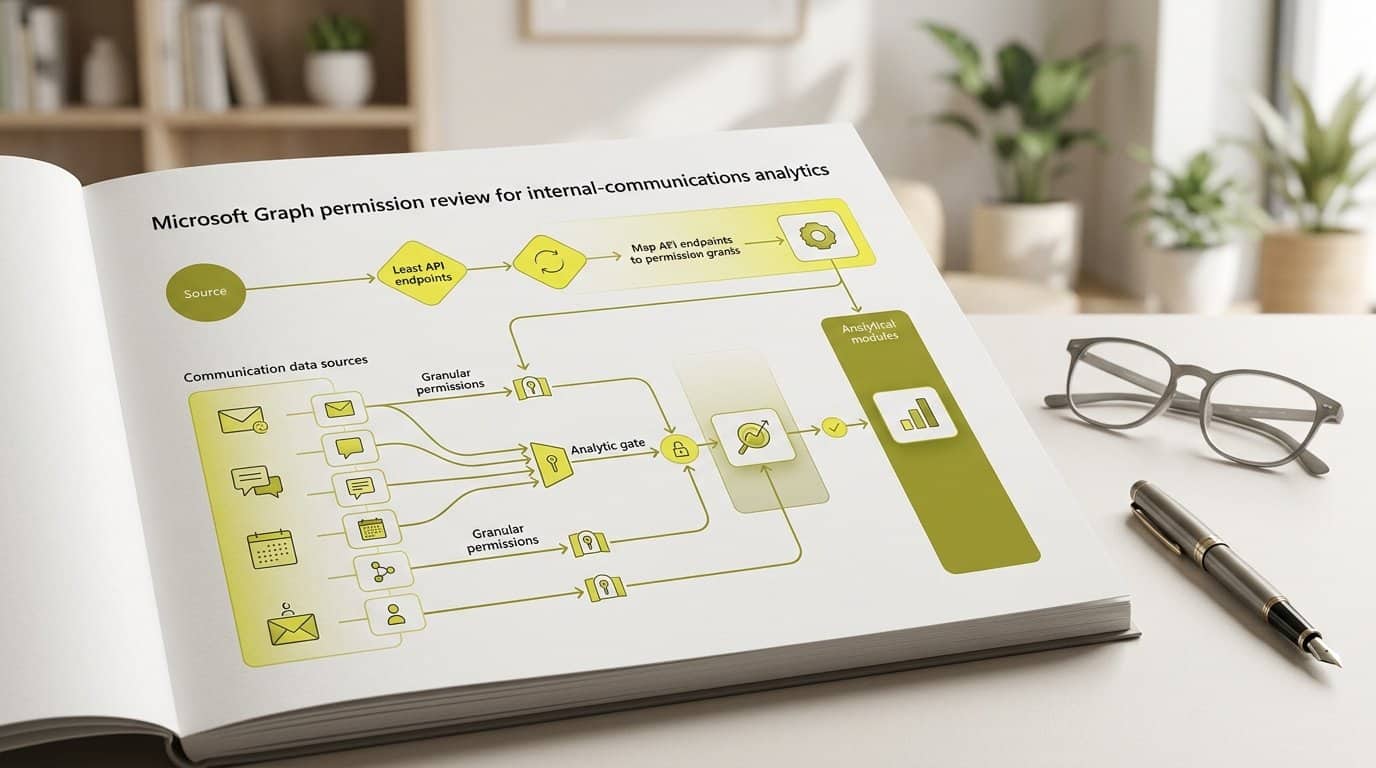
Before you consent to any Graph permission for an internal-communications analytics tool, map every endpoint it calls to the least-privileged grant that serves it. We break down delegated versus application access, what Reports.Read.All really permits, and how to test and register each grant so your review stands up to security scrutiny.
Key takeaways
- Delegated permissions act on behalf of a signed-in user and cannot exceed that user's own access; application permissions act tenant-wide with the app's own identity.
- Reports.Read.All grants access to Microsoft 365 service usage reports, not to arbitrary mailbox or file content, and requires admin consent.
- Microsoft 365 reports conceal user information such as usernames, groups and sites; the adminReportSettings API controls whether identifiers are displayed.
- An app holding an unused or reducible permission is overprivileged: unused permissions create horizontal escalation risk, reducible ones vertical risk.
- Ask the analytics vendor for a current endpoint-permission matrix before granting anything, and keep an ongoing register of each permission's purpose, owner and change trigger.
Which analytics endpoints does the integration call?
Before you consent to anything, ask the vendor for one document: the list of Microsoft Graph endpoints the integration actually calls. A permission review that starts at the consent screen starts in the wrong place. You cannot judge whether a grant is justified until you know the call it serves, and Microsoft documents the required permission for every Graph API method, so every request on the list can be checked against the documentation rather than taken on trust.
Classify each endpoint by data category and by its purpose in the analytics pipeline. For an internal communication analytics tool, the calls typically fall into three groups: service usage reports, directory objects used to join activity to organisational structure, and channel content such as site or community activity. The usage-report side is well documented: Microsoft Graph exposes Microsoft 365 usage reports through the report API, covering areas such as SharePoint activity, SharePoint site usage, Viva Engage activity and Outlook activity[1].
| Endpoint category | Example data | Purpose in the pipeline |
|---|---|---|
| Usage reports (report API) | SharePoint site usage, Viva Engage activity, Outlook activity | Aggregate adoption and engagement trends per service[1] |
| Directory objects | Users, groups, manager relationships | Joining activity to departments, sites and roles for segmentation |
| Channel content | Site pages, community posts, newsletter items | Measuring reach and engagement per piece of content |
How does each access mode change the scope?
Microsoft Graph supports two access scenarios, and the difference determines how much of your tenant a grant can reach. In delegated access, the app calls Microsoft Graph on behalf of a signed-in user, and it can never access anything that user could not access themselves. In app-only access, the app calls with its own identity, without a signed-in user, and can reach any data the permission covers[2].
| Delegated permissions (scopes) | Application permissions (app roles) | |
|---|---|---|
| Who the app acts as | The signed-in user | Its own identity, no user present |
| Reach | Limited by the user's own permissions | Any data the permission covers[2] |
| Who can consent | User, or an admin in some cases | Only Privileged Role Administrator or Global Administrator[2] |
| Microsoft's guidance | Recommended whenever it meets the app's requirements | Highly privileged; use only when no signed-in user is possible |
Microsoft states plainly that application permissions are highly privileged because they let an app access and modify resources without a signed-in user, and that from a least-privilege perspective the delegated model is the recommended approach whenever it meets the application's requirements[2].
Here is the practical tension for your review: a background analytics service that collects data overnight, reconciles history and refreshes dashboards cannot rely on a signed-in user, so it will typically need app-only access. That is a legitimate requirement, but it raises the review bar. Because an application permission acts tenant-wide, each one deserves an explicit justification tied to a named endpoint, not a bundled request you approve to keep a project on schedule.
What does Reports.Read.All permit?
Reports.Read.All allows an app to read Microsoft 365 service usage reports through the Graph report APIs, and it requires admin consent[3]. In practice this is the permission behind the aggregate adoption data your comms team wants: how SharePoint sites, Viva Engage communities and Outlook activity are trending across the organisation[1].
Just as important is what it does not permit. This is report access, not a licence to read arbitrary mailbox or file content. The report APIs return usage and activity data, not message bodies, documents or private conversations. Two nuances from the report API documentation are worth quoting back to your security team:
- User information such as usernames, groups and sites is concealed in Microsoft 365 reports; actual values are not displayed by default[1].
- The adminReportSettings API governs whether user information is displayed in the reports, so identification is a setting your organisation controls, not a property of the permission[1].
- The same usage reports are available in the Microsoft 365 admin center, so the data category itself is one your tenant already exposes to administrators[1].
When a vendor requests Reports.Read.All, the question to ask is which report endpoints it serves. If the answer maps to the documented usage reports, the grant is proportionate to an analytics purpose. If the same request also carries content or mail permissions, treat those as separate decisions, which is the next section's subject.
When do content APIs require separate grants?
Content-level analytics, meaning reading SharePoint site content, Viva Engage community posts or newsletter engagement data, sits on different permissions from usage reporting. A report permission does not unlock content, and a content permission does more than report. Keep the two requirements separate in your review, and ask the vendor to justify each content grant against a named endpoint rather than accepting a bundle.
Microsoft's own guidance is explicit: request the least privileged permissions the app needs, and requesting more than necessary is poor security practice that may cause administrators to withhold consent[3]. A reporting request that arrives carrying broad grants such as Sites.Read.All or Mail.Read should therefore be challenged: ask which endpoint needs it, and what breaks if you remove it.
Where the vendor supports them, prefer scoped alternatives. SharePoint and OneDrive expose Selected scopes that confine an app to specific resources instead of the whole tenant: Sites.Selected manages access at the site collection level, and further scopes exist down to list, list item and file level[4]. Consent alone grants nothing; an administrator must also assign the app to specific sites, and access disappears the moment either the assignment or the consent is removed[4]. That gives you two independent points of control, which is exactly what you want for a third-party analytics tool.
- Separate the vendor's requirements into reporting, content and directory grants, and review each category on its own merits.
- Ask for the endpoint behind every content permission; a permission with no named endpoint is an exception, not a line item.
- Ask whether the integration supports Sites.Selected or a comparable scoped grant before accepting a tenant-wide content permission.
How do you test least-privilege access?
A grant review on paper is not evidence. Verify it. Run the integration's required operations with only the proposed permissions, confirm every call succeeds, and record any granted permission that no operation uses as an exception to remove. Microsoft's definition gives you the test criteria: any application granted an unused or reducible permission is overprivileged, unused permissions pose a horizontal privilege escalation risk, and reducible ones, where a lower-privileged counterpart would suffice, pose a vertical risk[5].
- Start in a pilot scope. Test against a limited set of sites or communities before consenting tenant-wide, so a misconfigured call surfaces early and cheaply.
- Run every required operation with only the proposed grants. A call that fails tells you the mapping was incomplete; a call that succeeds without a grant tells you the grant is unnecessary.
- Log every 403 response and read it carefully: distinguish a missing permission from a user-level restriction, because the fix and the risk are different.
- Record unused and reducible permissions as exceptions with an owner and a removal date, following Microsoft's mitigation guidance to revoke unused permissions and replace reducible ones with their least-permissive counterparts[5].
- Schedule the next review before you close this one. Microsoft recommends auditing deployed applications periodically and reviewing permissions regularly so that all authorised permissions remain relevant[5].
Treat the test pass as repeatable, not one-off. Vendors ship updates, Microsoft deprecates endpoints, and a permission set that was least-privilege at go-live can drift within two release cycles.
What belongs in the ongoing permission register?
The register is the living record that keeps the review honest after go-live. Its unit is simple: one row per permission. What makes it valuable is the columns you keep next to the name, because they turn a static consent list into an accountable, auditable control.
- Permission name: the exact Graph permission as granted, with its access mode (delegated or application).
- Consent authority: who approved it, and on what date, so every grant traces to a person and a decision.
- Operational purpose: the endpoint and analytics function it serves, in language a security reviewer can check.
- Internal owner: the person accountable for the grant remaining justified, not the vendor.
- Change trigger: the event that forces a re-review, such as a new endpoint, a vendor feature change or a licence migration.
This is not bureaucratic overhead; it mirrors what Microsoft asks of vendors and customers alike. Microsoft's guidance tells app publishers to document all required permissions in a format accessible to technical and business stakeholders, to explain the use case behind each permission, and to communicate permission changes well in advance[6]. Your register is the customer-side counterpart: it is where you reconcile what the vendor documents against what you actually consented to, and where you record the periodic audits Microsoft recommends for deployed applications[5].
The register also doubles as evidence for your security and GDPR reviews. Because analytics over employee activity touches personal data, reviewers will ask what is collected, on what basis and who controls it; a permission register with purpose and owner columns answers half of those questions before they are asked. For the wider compliance picture around IC analytics, our works council playbook covers how measurement and employee privacy fit together under GDPR, and GDPR obligations apply to any organisation processing EU resident data.
Which matrix should Communication Insights provide?
Close the review the way you opened it: with a document, not a consent screen. Before granting anything, ask for the current endpoint-permission mapping for Communication Insights, the all-in-one cross-channel analytics platform that connects email newsletters, SharePoint intranet, Viva Connections and Viva Engage into one central dashboard. A credible vendor should hand you a matrix naming each Graph endpoint, the permission it requires, the access mode and the operational purpose, so you can consent grant by grant and challenge anything that lacks a named call behind it.
| Column | What to expect |
|---|---|
| Endpoint | The specific Graph API path the integration calls |
| Permission | The least-privileged permission Microsoft documents for that endpoint |
| Access mode | Delegated or application, with the reason app-only is required where it is |
| Data category | Usage reports, directory objects or channel content |
| Purpose | What the analytics pipeline does with the data |
If you want to walk through the Communication Insights permission matrix for your own tenant, with each Graph endpoint mapped to its least-privilege grant, book a 15-minute call with Jérémy and we will go through it line by line.
Frequently asked questions
What is the difference between delegated and application permissions in Microsoft Graph?
Delegated permissions let an app act on behalf of a signed-in user, and the app can never access anything that user could not access themselves. Application permissions work without a signed-in user, using the app's own identity, and can access any data the permission covers. Microsoft describes application permissions as highly privileged and recommends the delegated model from a least-privilege perspective whenever it meets the app's requirements.
Does Reports.Read.All give an app access to employee mailboxes or files?
No. Reports.Read.All covers reading Microsoft 365 service usage reports through the Graph report APIs, such as SharePoint activity, site usage and Viva Engage activity reports. It does not grant access to arbitrary mailbox or file content, and it requires admin consent. Access to actual content sits on separate permissions, which is exactly why a permission review should keep reporting grants and content grants distinct.
Why does the analytics integration need admin consent for its Graph permissions?
Application permissions can only be consented to by a Privileged Role Administrator or Global Administrator, because they grant the app tenant-wide access without a signed-in user. Many delegated permissions also require admin consent. This is a deliberate control point: it is your opportunity to review the requested permission list against the endpoints the integration actually calls before anything is granted.
How do I know if a third-party analytics app is overprivileged?
Microsoft's least-privilege guidance defines an overprivileged app as one holding an unused or reducible permission. An unused permission is granted but its API is never called; a reducible permission has a lower-privileged counterpart that would still meet the app's needs. Test the app's required operations with only the proposed grants, record any permission no operation uses as an exception, and remove or downgrade it.
Are usernames visible in Microsoft 365 usage reports retrieved through Graph?
By default, user information such as usernames, groups and sites is concealed in Microsoft 365 reports, and actual values are not displayed. The adminReportSettings API lets an administrator control whether user information is shown in the reports, which is a relevant setting to check when you deploy an analytics integration that consumes report data.
What should a permission register for an analytics integration contain?
For each granted permission, record its name, the consent authority who approved it, the operational purpose it serves, the internal owner accountable for it, and the change trigger that forces a re-review, such as a new endpoint or a vendor feature change. Microsoft recommends periodically auditing granted privileges so permissions stay relevant, and the register doubles as evidence for security and GDPR reviews.
What should I ask the analytics vendor for before granting Graph permissions?
Ask for a current endpoint-permission matrix: every Microsoft Graph endpoint the integration calls, the permission each call requires, the access mode (delegated or application), and the operational purpose. A vendor that cannot produce this mapping, or that bundles broad content grants into a reporting request, should be challenged before consent is given.
Sources
Further reading
• DPIA for internal comms analytics: template and scope
• Viva Insights vs communication analytics: two different questions
• Tryane Analytics and Microsoft 365: What the Layer Reads, and What It Does Not Do
• IC analytics security questionnaire: the answers IT asks for
If you want to see what cross-channel reporting looks like against your real data, Tryane runs a 15-minute walkthrough with no slides. Book a slot with Jérémy.